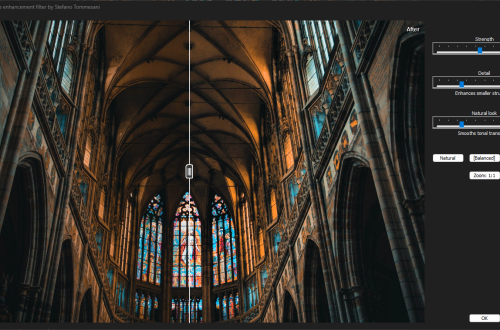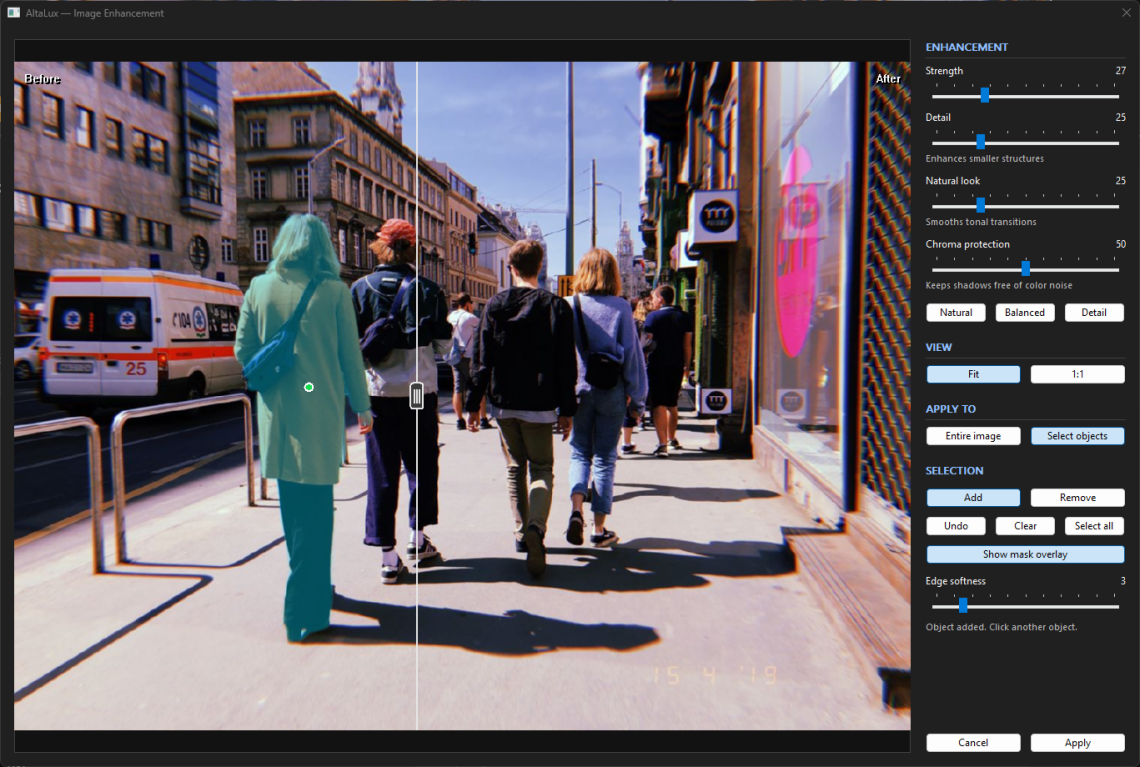
When a backlit subject needs more detail but the background already looks right, increasing contrast across the whole photo can solve one problem while creating another: the subject becomes clearer, but the background also grows more prominent and starts competing for attention.
AltaLux 3.0 adds object selection for this kind of edit, allowing you to click a subject in the preview and apply the enhancement to the area you have selected.
Alongside this more selective approach, the release introduces Chroma protection to reduce colored noise in lifted shadows and improves the preview so you can zoom, pan, and adjust the result more comfortably.
Click on the subject
Version 3.0 adds an optional MobileSAM add-on that lets you select individual objects directly inside the IrfanView plugin.
With Select objects enabled and Add selected, clicking a subject in the preview asks the model to propose a mask, which appears as an overlay showing the parts of the image that will receive the effect.
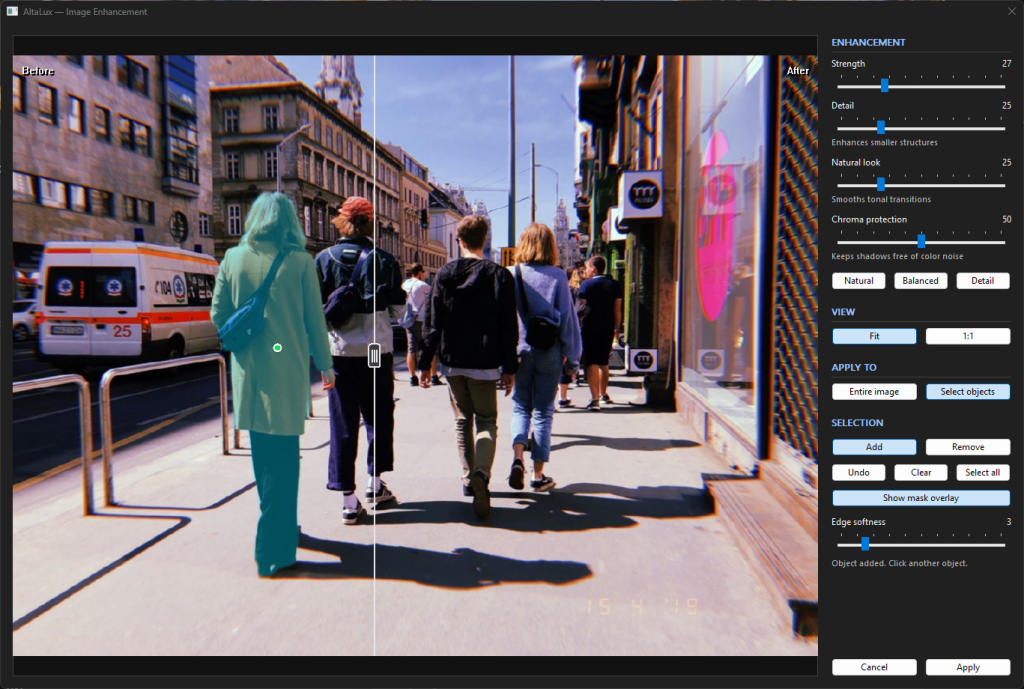
Further Add or Remove clicks refine the selection, while Undo lets you reverse an edit and Clear lets you start again. If you decide to apply the enhancement throughout the image, Select all extends the mask to cover it.
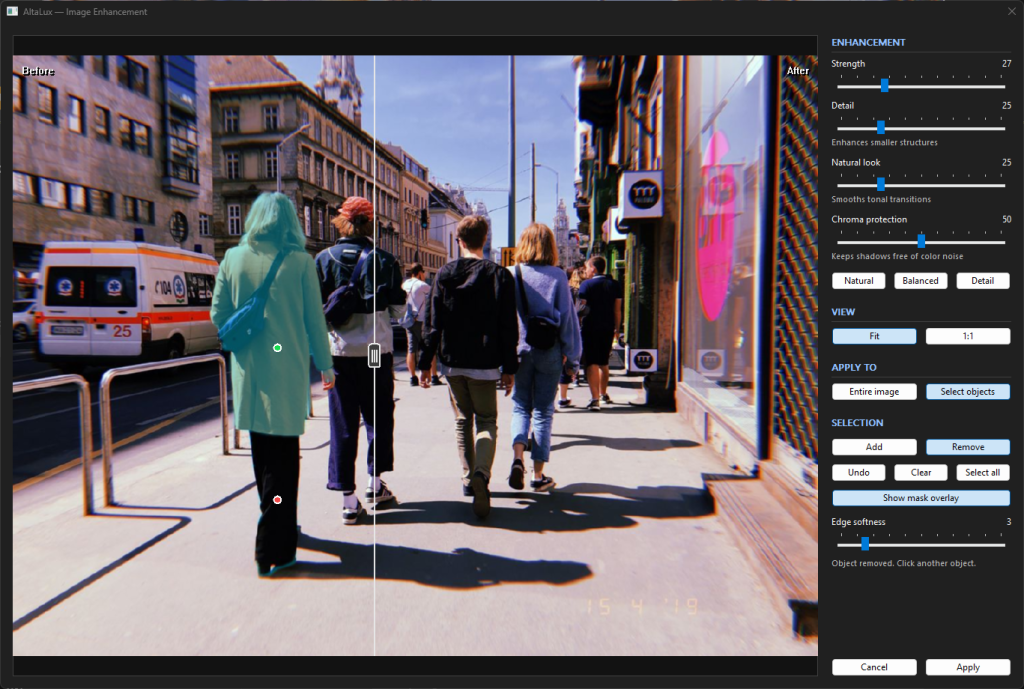
The overlay gives you a chance to check the model’s selection before applying the result, particularly around boundaries where the subject meets its surroundings. Once the mask looks right, Edge softness lets you make the enhancement fade more gradually along those boundaries, helping it blend into the rest of the image without an abrupt transition.
In a portrait, this lets you bring out detail in the person while keeping the background subdued; in an interior, you might lift a piece of furniture without brightening every wall. In both cases, you can tune the contrast for the subject without having to accept the same treatment across the scene.
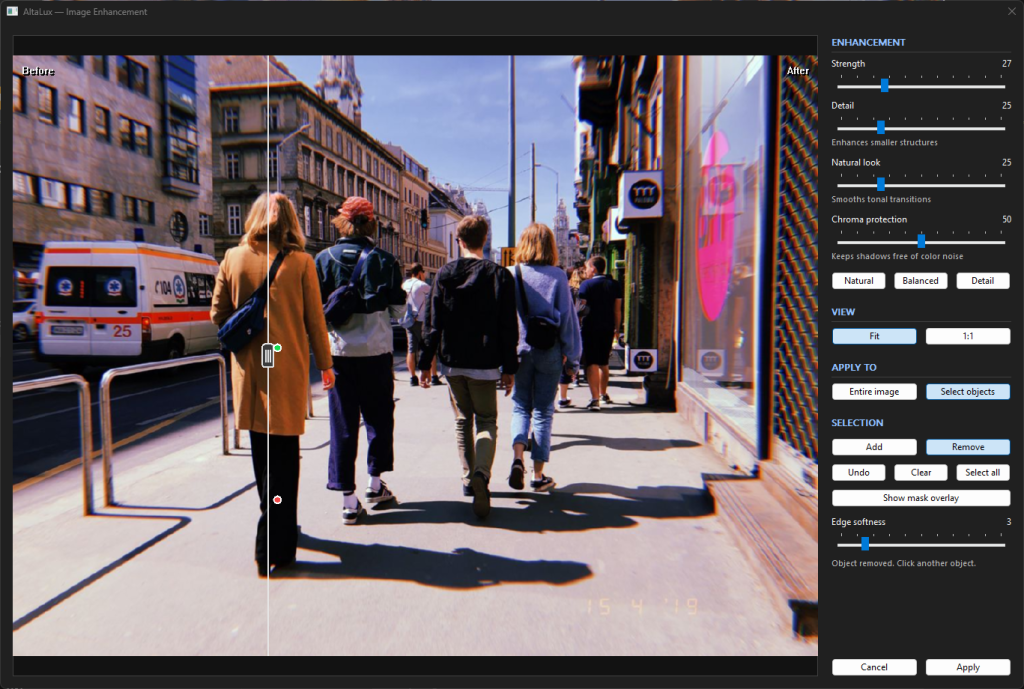
MobileSAM runs locally on the CPU through ONNX Runtime, with its models included in the add-on package so that selection works without a GPU, a cloud account, or an internet connection during use. Your images stay on your machine, and the AI’s role is limited to creating the selection through which AltaLux applies its multiscale contrast processing.
Segmentation is available only in the 64-bit version of the plugin.
Lift shadows with less colored noise
Shadow recovery can reveal more than the detail you were looking for: an area that appeared clean while it was dark may show purple and green speckles once it is brightened. Local contrast enhancement makes these color variations more conspicuous, so recovering useful detail can also leave the shadows looking noisier than before.
The new Chroma protection slider reduces the saturation of those distracting colors by concentrating correction on areas that were dark in the original and have been lifted substantially. Flat areas receive stronger correction than textured ones, helping to make colored speckles less visible while retaining the brightness recovered by the enhancement.
The default is 50, which allows up to 25% chroma reduction in the areas most at risk. At 100, the cap is 50%, so this stage cannot completely desaturate a pixel. Set it to 0 to disable the correction and retain the previous multiscale output for the same settings. Because stronger protection also reduces real color in the affected shadows, it is worth comparing the default with 0 before raising the setting to deal with any remaining speckles. The control addresses colored noise in lifted shadows, so other kinds of noise may still need separate treatment.
Internally, the correction compares original and enhanced luminance, combining the amount of lift, original darkness, and local texture into a risk map that is smoothed before it controls the color attenuation. This makes the correction less aggressive in textured shadows, although those areas can still receive some attenuation when they have been lifted substantially.
UX improvements
The preview now supports continuous zoom, with the mouse wheel controlling zoom factor and dragging allowing you to pan around the image. When you want to reset the view, Fit brings the whole image back into sight, while 1:1 returns the preview to its actual pixel scale.
The same gestures remain available during object selection, where a click picks an object and a drag pans the image; the middle mouse button can also be used for panning at any time. This lets you zoom in to inspect and adjust a mask boundary, then return to Fit to judge how the enhancement looks in the context of the whole photograph.
Preview processing and mask editing run in the background, keeping the dialog responsive while work is underway. When several slider changes arrive in quick succession, obsolete preview results are discarded so an older result cannot replace a newer one.
Smaller previews also look cleaner thanks to box-filter resampling, which replaces the old drawing path that dropped pixels when shrinking an image.
To keep interaction responsive, the preview continues to use a scaled working image, while final processing runs on the full-resolution image or selected region.
A few smaller changes make the dialog more comfortable to use:
- Numeric values sit beside the slider labels.
- The dialog remembers its size and position and keeps the restored window within the monitor’s work area.
- Preview labels and the comparison handle scale with display DPI.
Some implementation details
The chroma correction adds several passes over the image, so it also brought new performance work. The recorded development benchmarks put the AVX2 color attenuation kernel at about 3.9 times the scalar speed for RGB32 and 3.1 times for RGB24 on 4K images. Those figures describe only that kernel, not the entire filter. The attenuation step, where vectorization did improve performance, has scalar, SSSE3, and AVX2 implementations selected according to CPU support.
Continuous integration runs on GitHub Actions, building and testing both x64 and Win32 versions, while release packaging produces versioned archives for both plugin builds and the optional AI add-on.
Download and installation
Find the release packages on the Github release page.
Choose the base plugin that matches your IrfanView installation, with the optional AI package alongside it if you want object selection:
- AltaLux-x64-<version>.zip : Base plugin for 64-bit IrfanView
- AltaLux-Win32-<version>.zip : Base plugin for 32-bit IrfanView
- AltaLux-AI-x64-<version>.zip : Optional object selection add-on for 64-bit IrfanView
Close IrfanView, extract AltaLux.dll from the matching base package into its Plugins folder, replacing the old DLL, then restart IrfanView.
To enable object selection, also extract every file from the AI package directly into that same Plugins folder, beside AltaLux.dll, keeping the add-on files together there rather than in a separate subfolder. The package includes everything needed for selection to work offline once installed.
AltaLux remains available under the Microsoft Public License (MS-PL). Thanks to Karel Zuiderveld for CLAHE, Irfan Skiljan for IrfanView, and the MobileSAM, Segment Anything, and ONNX Runtime teams for the work behind the selection add-on. Bundled third-party components retain their own licenses, listed in the package notices.