A Gantt chart places work on a calendar so durations, sequencing, and overlaps are visible. Asana's Gantt overview provides background on this chart family. Sundial calculates unfinished work's schedule from the model; manually entered dates alone do not determine it.
Use Start date to choose the visible GANTT window; clear it to include all history. Show hi-low ranges overlays the optimistic and pessimistic scenario finishes around the PERT expected schedule. These are coherent scheduling scenarios, not Monte Carlo percentiles. Show dependencies toggles dependency connectors. The new Example includes varied effort bounds so these differences are visible.
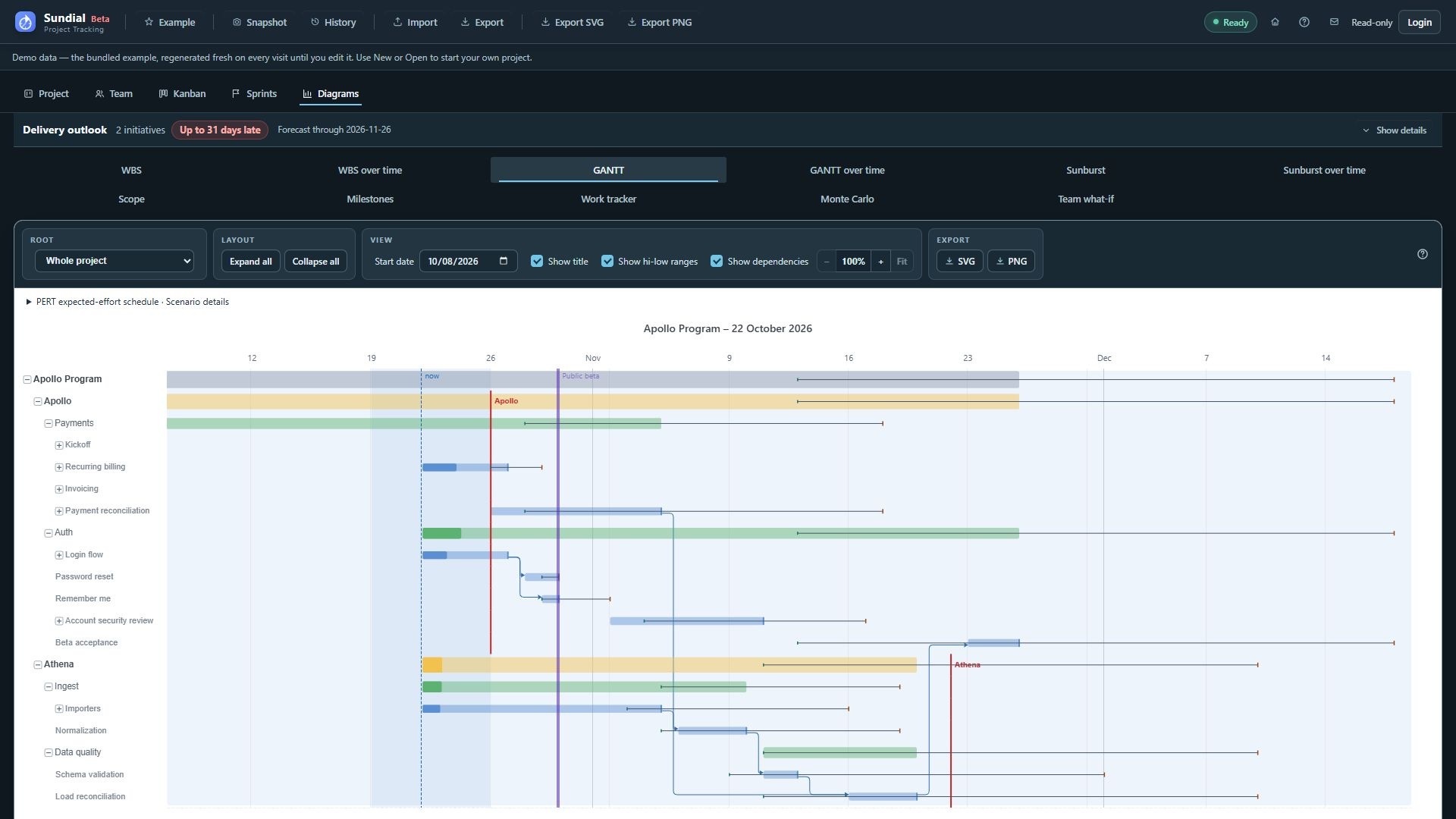
Figure 26. Current GANTT with PERT hi-low ranges, dependencies, start-date control, deadlines, and the Public beta milestone.
Step by step
- Click GANTT.
- Use Root to choose the whole project or a particular container, then locate the initiative or epic of interest in the row labels.
- Expand its disclosure marker to reveal the next level. Use Expand all for more detail or Collapse all to return to the configured depth.
- Read the start and finish against the time axis. Hover the bar or caption for precise dates and details. Click a work item to open its editor; close it for the full schedule.
- Follow visible dependency connectors to understand sequencing constraints.
- Compare the forecast finish with the deadline marker. Standalone milestones such as Public beta appear as separate vertical reference lines.
- Zoom into the relevant interval and scroll as needed. Enable Show title before exporting.
The now line marks the effective forecast start: normally today, or a later configured start. Container spans include historical completed children as well as future work. Long breaks can split a summary bar; a continuous stretch does not imply work on the parent every day. Missing child forecasts prevent a complete parent delivery date. Completed work retains recorded ownership in reports. Gaps and short allocations reflect calendars and sequencing; use Work tracker to inspect simulated person-hours.