Delta WBS shows changed work in its hierarchy. It retains ancestors for context and omits unrelated siblings. This kind of filtered status report is described in Tommesani's article Changes, or what did we do last month?.
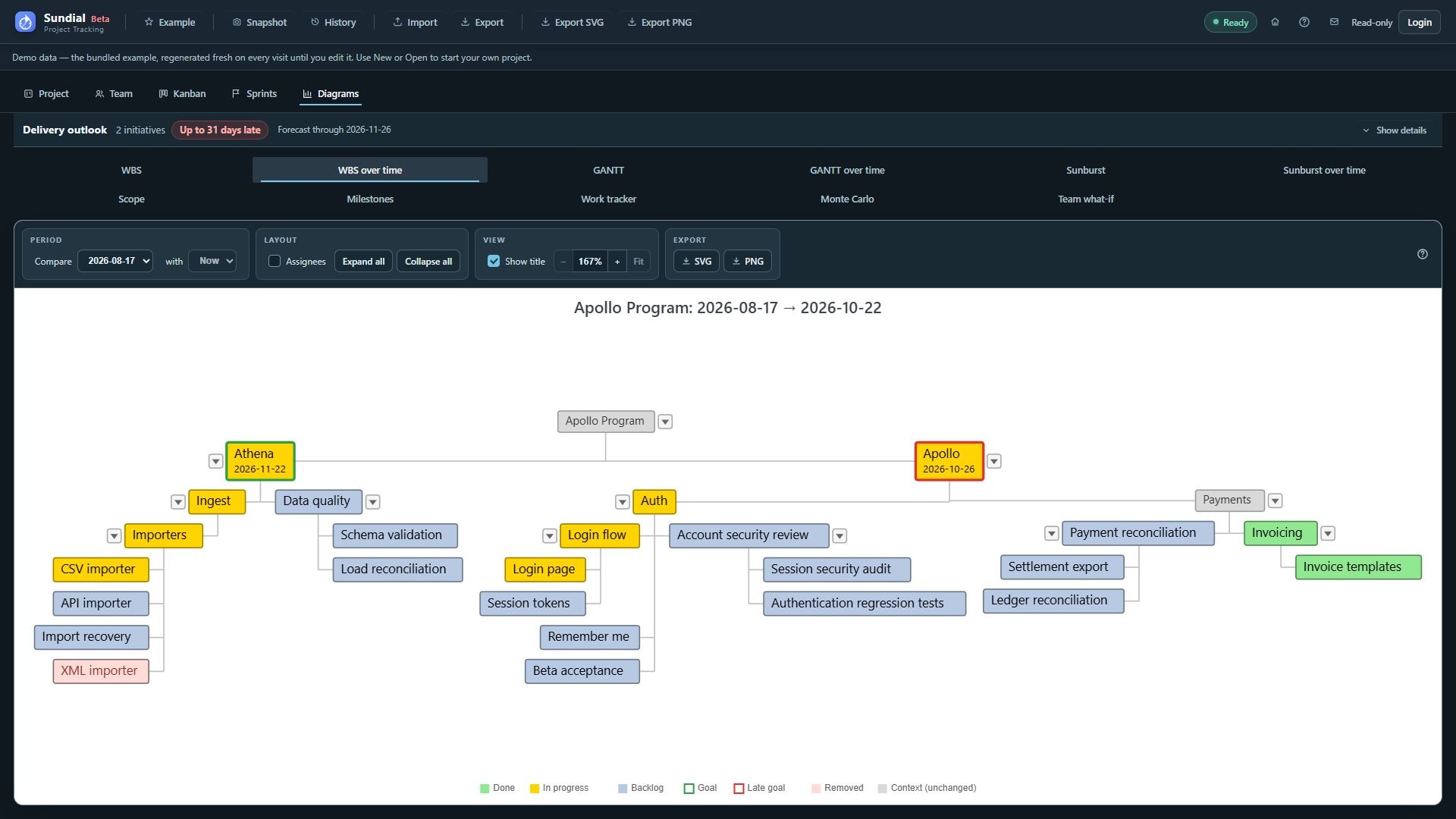
Figure 33. WBS over time comparing the August checkpoint with the expanded current Example.
Compare a checkpoint with the current model
- Click WBS over time.
- Under Compare, select the baseline snapshot.
- Leave with set to Now.
- Read the diagram title to confirm the endpoints, and check for any stale-current warning.
- Follow changed branches. Enable Assignees if ownership is relevant.
- Hover changed nodes to inspect before-and-after status, assignee, and other reported field changes.
- Export the view for a change review.
Colored nodes represent qualifying changes, including additions, status changes, completion, ownership or hierarchy changes, and removals. Gray ancestors locate those changes. Removed nodes use a distinct light-red/struck treatment and have no current-state reading. A gray ancestor can still have a meaningful unchanged status in its tooltip.
Compare two saved checkpoints
- Select an older snapshot under Compare.
- Under with, select a later saved snapshot.
- Confirm the period shown in the title.
- Switch to GANTT over time to inspect schedule movement for exactly the same pair.
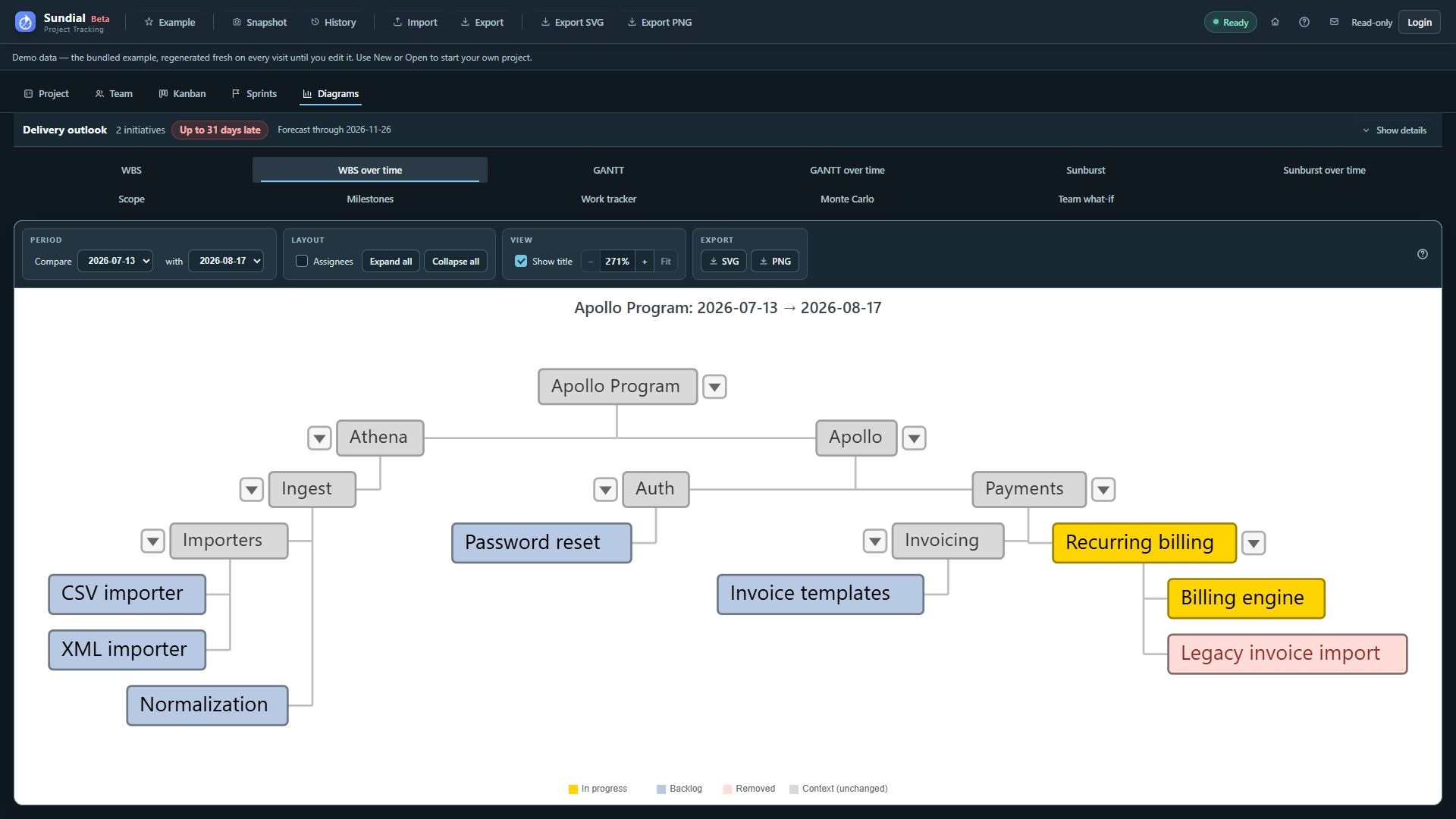
Figure 34. WBS over time comparing the saved 13 July and 17 August checkpoints.
Only snapshots strictly newer than the baseline are offered as saved endpoints. If no later capture exists, the end control may offer only Now and be disabled. Changing the baseline can reset an invalid end choice to Now. The comparison pair is shared by both Delta tabs.
An empty result may show No qualifying changes even when the source work is present. WBS over time compares the hierarchy and status fields used for reporting; it does not audit every edit.