Scope is a stacked-column history chart. Canceled effort is excluded from its simulation-based totals even though the original estimate remains stored on the work item. Each column shows the known total estimate at an observation; its colored segments show the selected root's constituent groups.
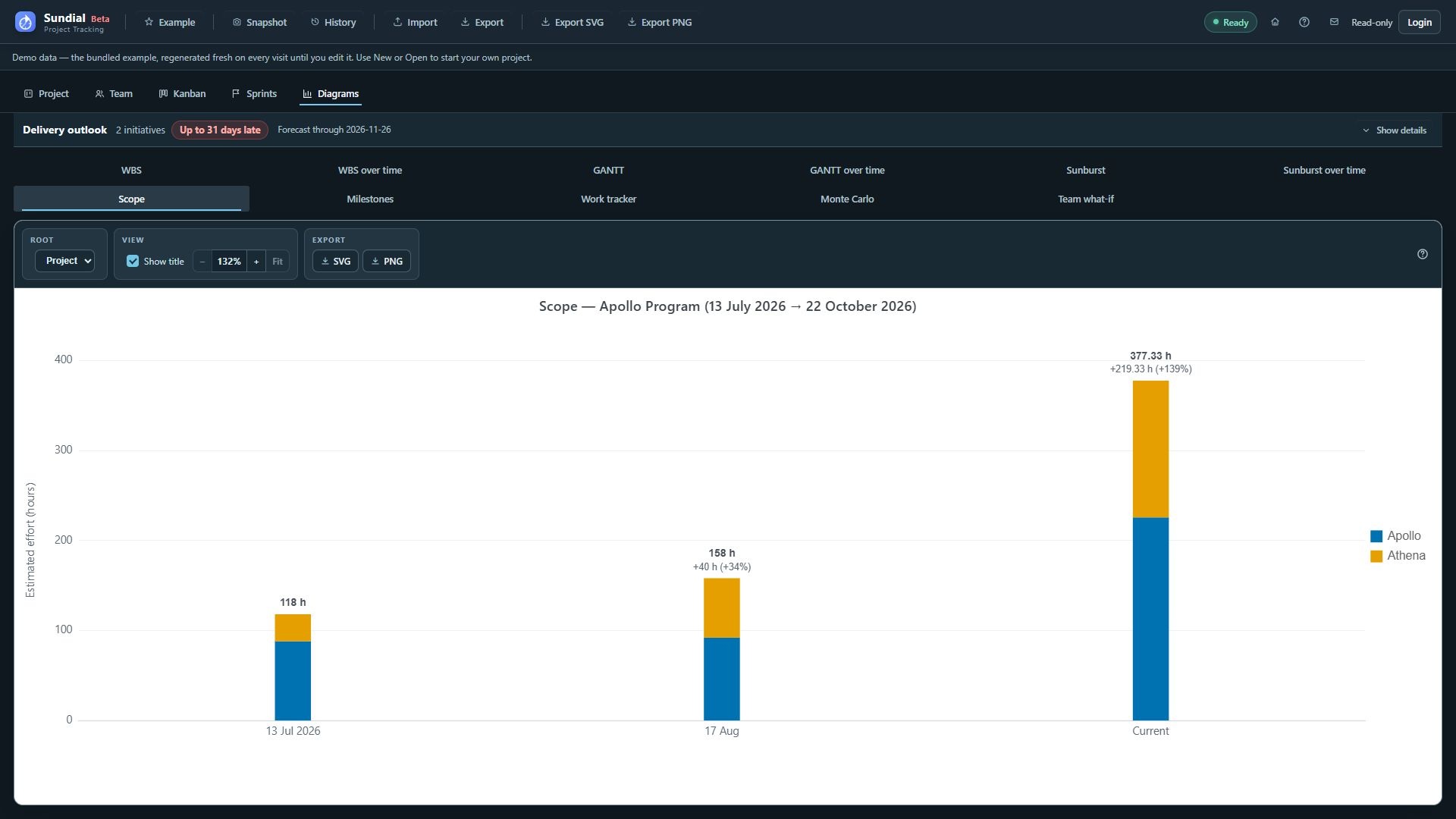
Figure 36. Scope history with July and August checkpoints and the larger current Example; totals use PERT expected effort.
Step by step
- Make sure the active history contains a saved snapshot.
- Click Scope.
- Leave Root set to Project to compare initiative/Release totals.
- Read the observation labels horizontally and Estimated effort (hours) vertically.
- Compare column totals, then identify the segments responsible for growth or reduction.
- Hover a segment for the group, checkpoint, effort, and completeness details.
- Choose an initiative/Release under Root to compare its direct epics instead.
- Switch to Milestones to inspect delivery drift for the same selected root.
Scope counts the full declared estimate, including completed work still present. Spent work is not subtracted. A rising column can reflect added work or revised estimates; a falling column can reflect descoping, removal, or reduced estimates. Completion alone does not shrink the scope total.
Saved observations are grouped by UTC calendar day, using the latest capture on that day. Current is a separate live column from the latest successful current model, placed last. It is not another saved checkpoint. No columns are invented for days without snapshots. Missing estimates make the known subtotal partial; do not interpret omitted estimates as zero work.
Series colors identify groups and remain consistent within the history views. Native work has persistent identities across rename and reparent operations. Older reporting snapshots without stable identities can still fall back to a path, shown as (path id); review continuity when comparing older exports.