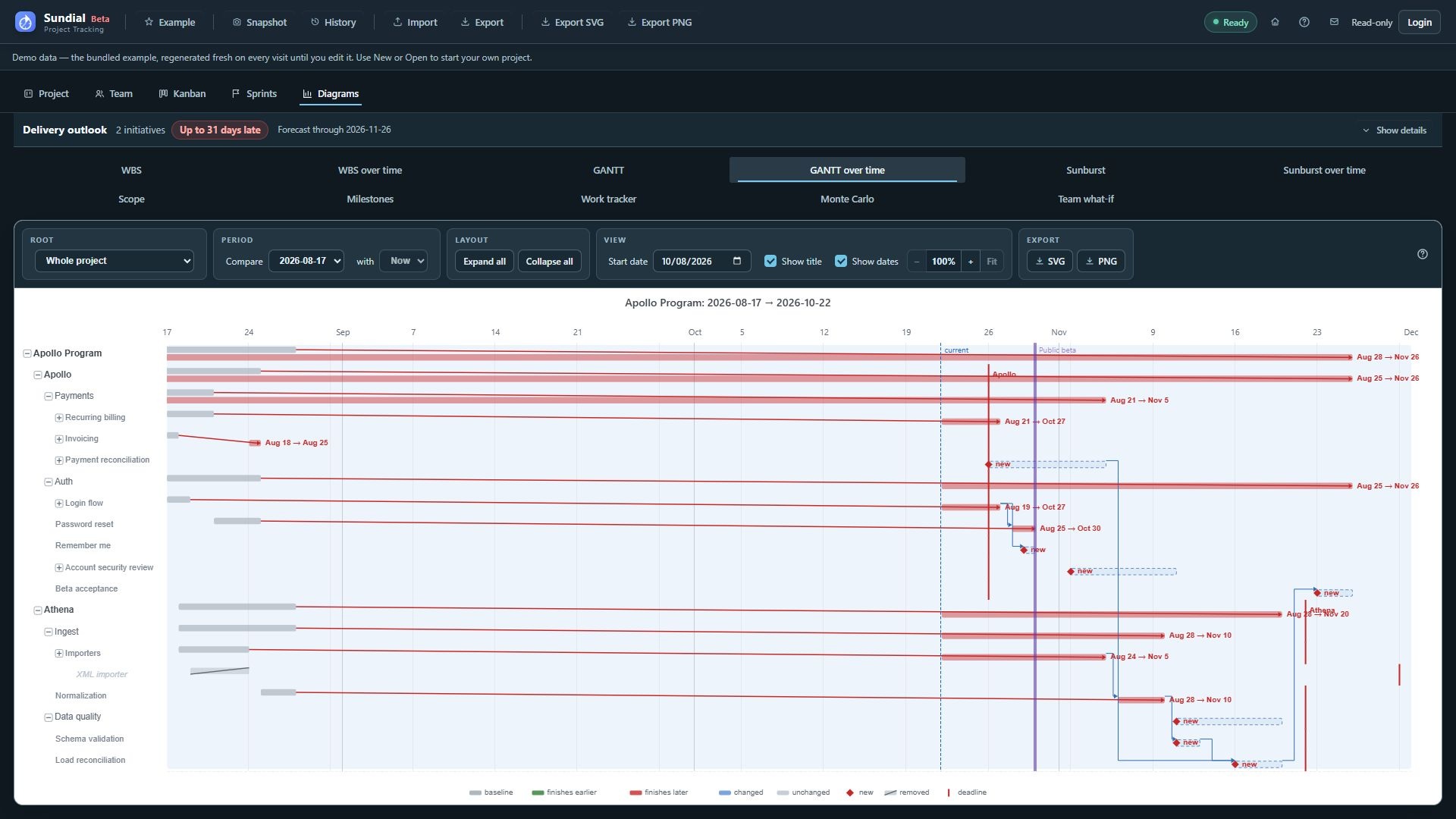
Figure 35. GANTT over time comparing the August checkpoint with the current Example schedule.
Step by step
- Click GANTT over time.
- Select the baseline and comparison end. The pair is shared with WBS over time.
- Keep Show dates enabled when exact movement needs to be visible in the report.
- Read each moving row's baseline and comparison delivery dates.
- Use the legend to distinguish earlier finishes, later finishes, changed rows, delivery movement from re-anchoring, new work, and removals.
- Expand a container to reveal changed descendants. Unchanged siblings do not become a full schedule just because you expand.
- Follow hierarchy and highlighted dependency relationships to investigate a possible cascade.
- Compare moved finishes with deadline and milestone references, then export the configured report.
Use Root to focus on a container without changing the comparison endpoints. The view focuses on meaningful schedule differences. An effort change appears in this view when it moves dates. A revised estimate alone is not reported as a duration change. Changes that finish entirely before the comparison window's historical cap can be omitted. The window starts seven days before the older endpoint's date so old completed history does not dominate the report.
Changing reportingPeriod.from can carry delivery dates forward even when work's position relative to the planning start stays similar. Sundial distinguishes this re-anchoring from a conventional delivery slip. Live Now also advances with the current local date unless a later start is configured. Read the calendar dates and legend before attributing a rightward movement to a delay in the team's work.
Dependency connectors show the relationships in the model. Links missing from a CSV export remain missing from the chart, so check the source data before attributing a date change to a dependency.