A work breakdown structure is a hierarchy of deliverables and their component work. It helps establish scope before reviewing dates. PMI discusses the value of deliverable-oriented decomposition in Scheduling 101.
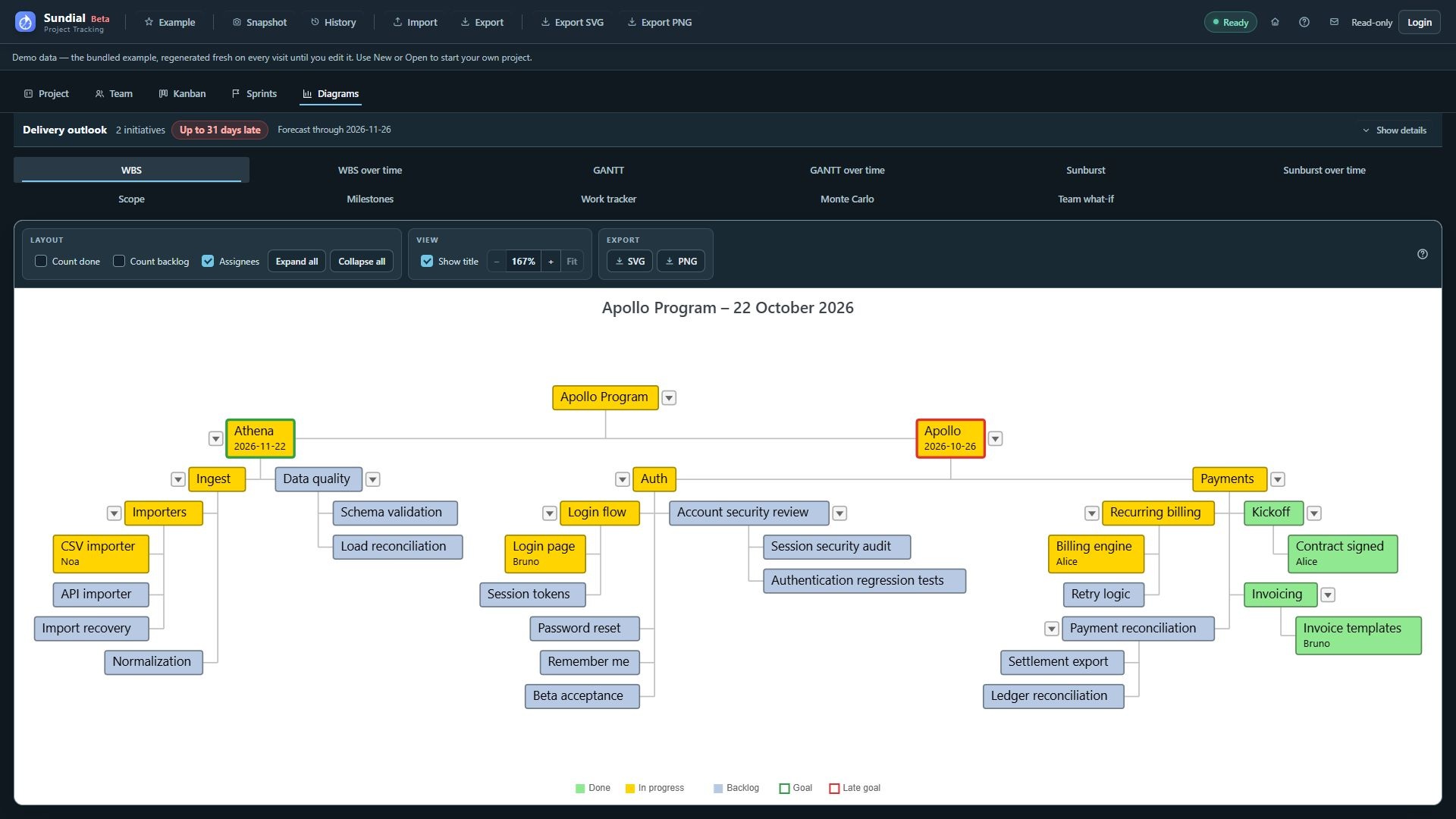
Figure 25. Redesigned WBS using the expanded Example hierarchy, assignee labels, and Goal and Late goal borders.
Step by step
- Click WBS.
- Follow the hierarchy from the project root through initiatives and epics to leaf work.
- Use a node's disclosure control to expand or collapse a branch. Expand all reveals branches; Collapse all produces an overview.
- Enable Count done or Count backlog to group those sibling items into counters. Disable the options when individual names are needed.
- Toggle Assignees to show or hide ownership in captions.
- Hover an item for details. Click its box to open the work-item editor when you need to revise description, status, priority, or planning fields.
- Export the configured view for a scope or status review.
Read the colors
Use the WBS legend: done is green, in progress is yellow, backlog is pale blue-gray, and blocked/problem states are red. An incomplete item with a deadline retains its status fill and gains a thick goal border: red when its deadline has expired at the view date or its forecast finish is later than the deadline, green otherwise. Blocked work keeps a red border. The deadline appears in the caption. Use each chart's own legend; Sunburst uses amber for in-progress work.
A container's effective status summarizes its subtree. Counters are presentation aids and do not create or remove source work. A hidden branch still contributes to the model and to rolled-up dates and effort.